Project settings and re-syncing
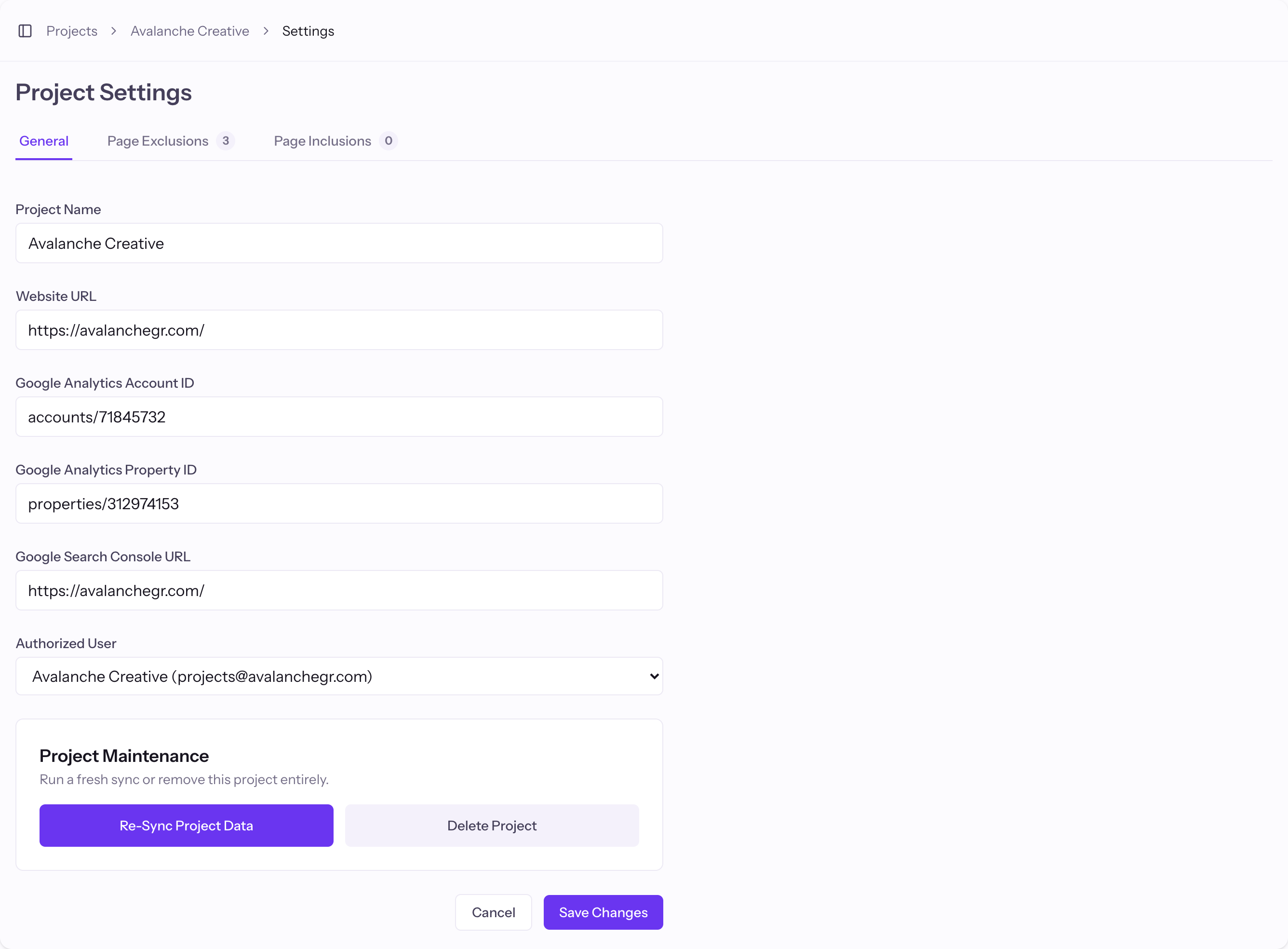
Project Settings is where you change data connections, tracked pages, and run maintenance like a re-sync.
Open Project Settings
Open a project from your Projects and click the settings (gear) icon.
What you can change
Update the project name and URL, your GA and GSC connections, the sitemap, and your Page Inclusions and Page Exclusions.
Re-sync the data
Under Project Maintenance, use Re-Sync Project Data to re-pull your metrics. This is useful after fixing a Google connection or changing which pages you track.
Good to know
- Deleting a project moves it to a pending-deletion state first, so an accidental delete can be caught.