Impact scoring: Signal vs noise, and the Proof lens
Most page changes do not matter. Page Pulse scores every change so you only see the ones that do, and the Proof lens shows which past changes actually moved traffic.
How scoring works
Each change gets an importance score from 0 to 100, weighing how big the edit is against how much the page matters. That is what separates signal (meaningful updates) from noise (dynamic counters, nav churn).
Filter by Signal
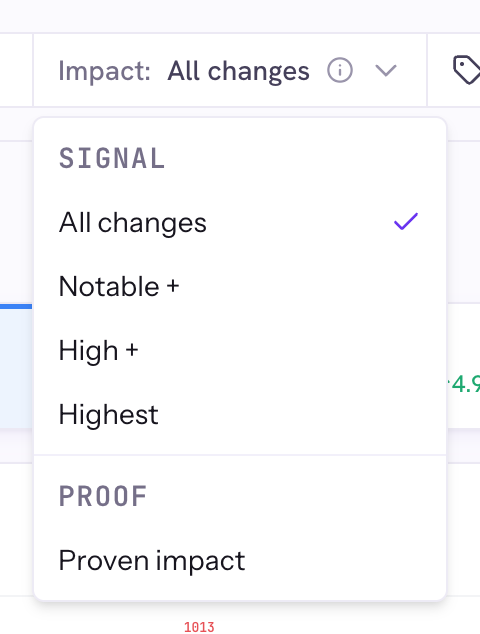
- On the dashboard, open the Impact dropdown.
- Pick a Signal level (All changes, Notable +, High +, or Highest) to hide lower-impact markers.
The first time you use it on a project, Page Pulse scores its history in the background. It stays current automatically after that.
Switch to Proof
In the same Impact dropdown, choose Proven impact. Now the markers show which changes actually moved traffic 30 to 90 days later. Click one for a realized-impact note with a confidence band (High, Likely, or Possible), the clicks-vs-baseline lift, and the reasoning.
Good to know
- Proof measures contribution, not proof of cause. It compares against a seasonal baseline with a stated confidence level.
- On a large site, give the first scoring pass a few minutes.